App Store
Optimization.
AppLaunchFlow is the ASO platform that connects screenshots, listing copy, and localization in a single workflow — so every part of your store presence works together.
1,400+
app developers
40,000+
screenshots generated
The Problem
Why most ASO workflows break down
Typical ASO means juggling Figma for screenshots, a spreadsheet for keywords, a doc for descriptions, and a translator for localization. Every handoff introduces drift. Your screenshots promise one thing, your copy says another, and your localized versions dilute the message further.
AppLaunchFlow solves this by generating screenshots and listing copy from the same project. The AI understands your app context and produces assets that reinforce each other — not compete.
When you update one element, the system helps you keep everything else aligned. Change a headline on your screenshots and the ASO copy generator already has that context. Localize into a new market and the translation preserves your positioning, not just your words.
The result is an ASO workflow where screenshots, copy, and localization amplify each other instead of drifting apart.
Features
Everything ASO teams need in one platform
Everything you need to create professional app store screenshots.
Visual Editor
One editor for screenshots, copy, and localization.
Design screenshots, generate ASO copy, and localize assets in the same Figma-style editor. No tool-switching, no context loss.
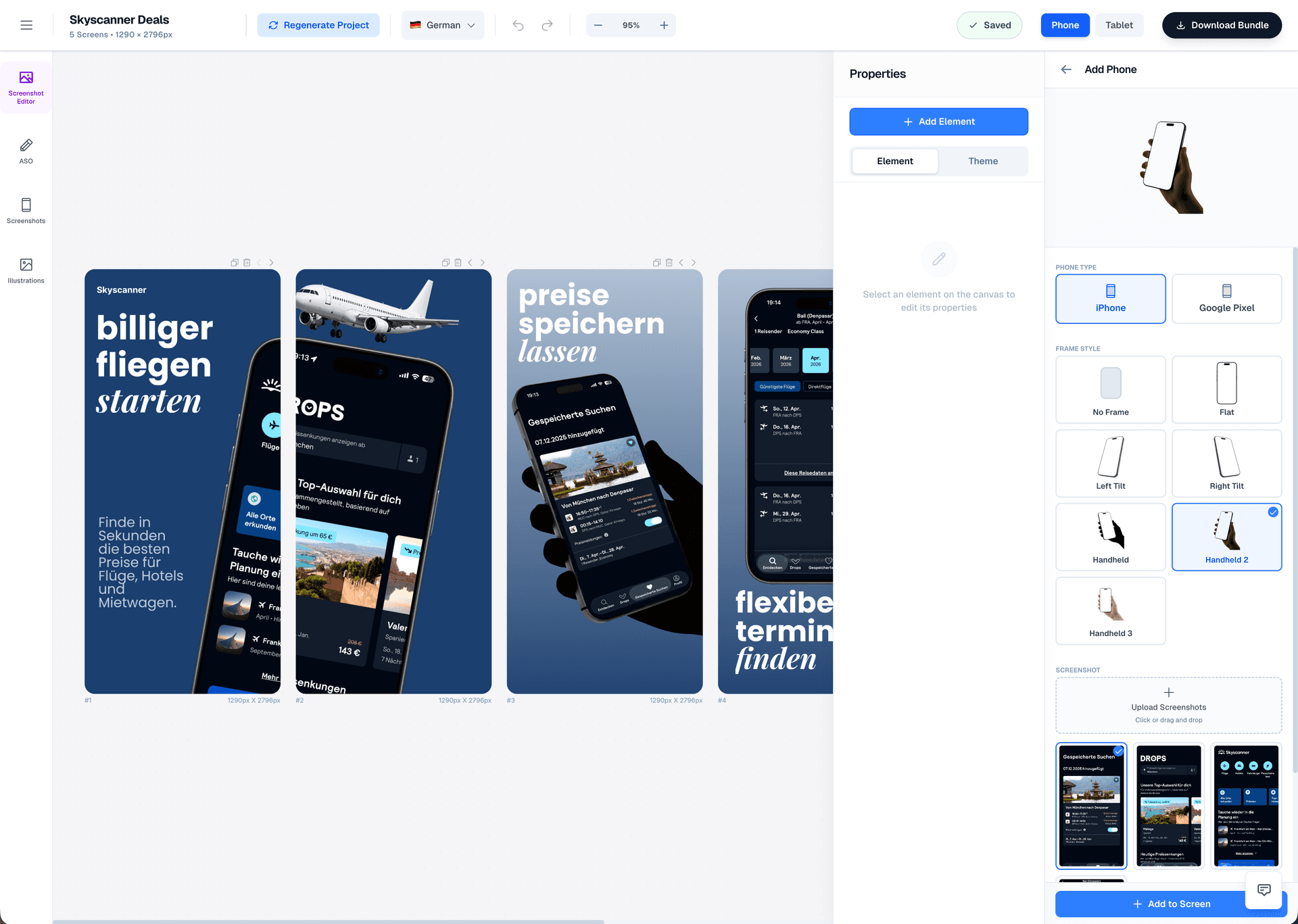
Drag & Drop Control
Intuitive interface with zoom controls and precise positioning for pills, badges, and text.
3D Device Frames
Showcase your app in iPhone, Pixel, or iPad frames and keep every slide visually consistent.
Smart Assets
Use pills, badges, ratings, and curated visual assets without external design tools.
Localization
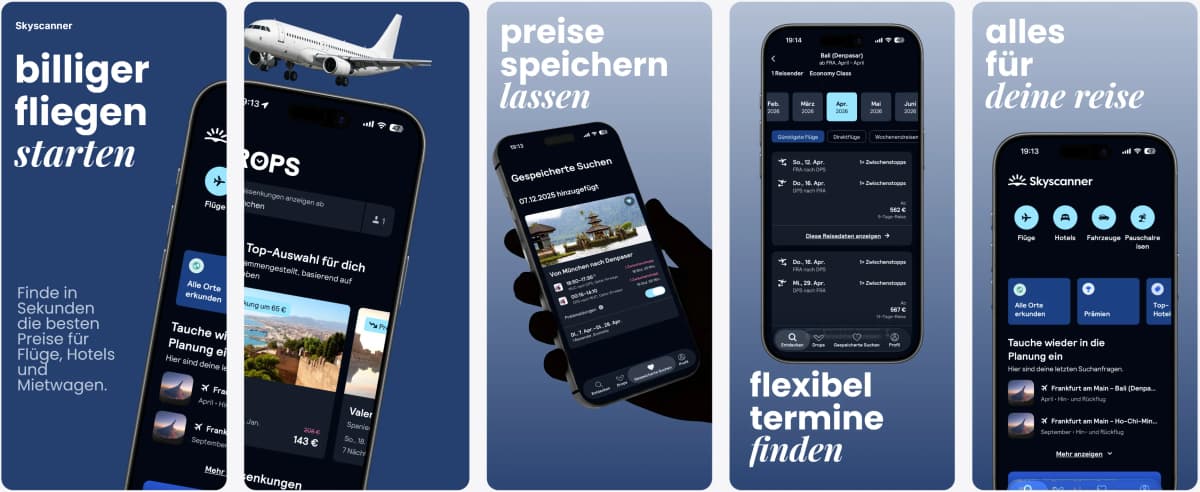
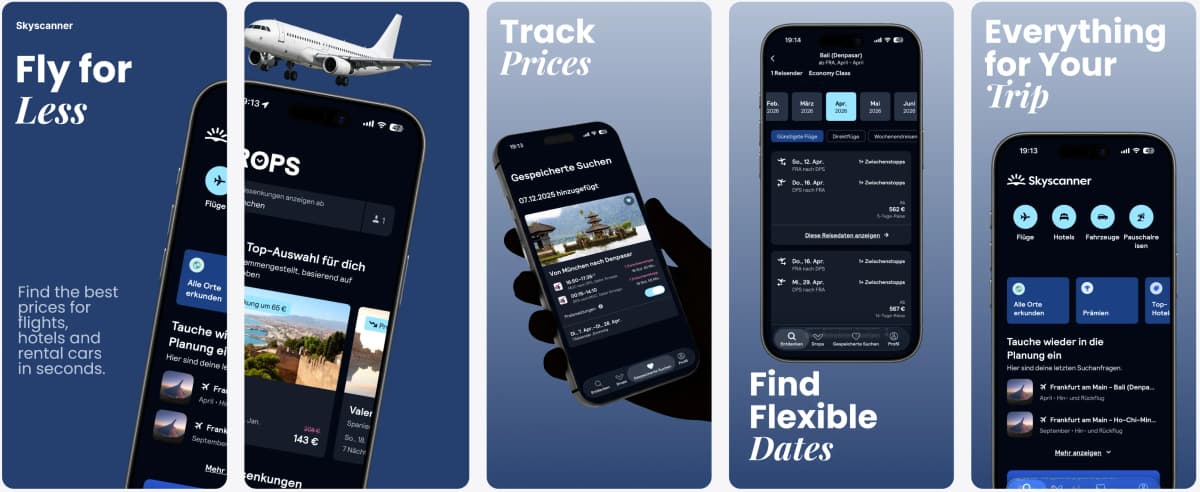
Localize and publish to both stores.
Translate your screenshots and listing copy, then push everything directly to App Store Connect and Google Play Console.
Supports major App Store and Play Store languages including Spanish, German, French, Japanese, Korean, Portuguese, and more.
Comparison
Fragmented ASO tools vs. one platform
Most teams use 3-5 separate tools for ASO. AppLaunchFlow consolidates the core workflow so nothing falls through the cracks.
| Criteria | Manual tools | AI-only tools | AppLaunchFlow |
|---|---|---|---|
| Screenshot creation | Figma/Photoshop + manual export | AI generates but limited editing | AI generates + full editor + auto-export |
| Listing copy | Separate doc, manual copy-paste | ChatGPT then paste into console | Generated in-context, push directly to stores |
| Localization | Hire translators, redo layouts per language | Translate text, layouts break | Translate + auto-adjust layout + publish |
| Publishing | Manual upload per asset per locale | Still manual | Direct push to App Store Connect & Play Console |
| Consistency | Depends on team discipline | Copy and visuals created separately | Copy and visuals generated from same context |
Deep Dive
ASO best practices built into the workflow
The first two screenshots determine whether most users scroll further or bounce. AppLaunchFlow's template system front-loads your value proposition and uses visual rhythm to keep users engaged across the full set.
Keyword density in your description matters, but readability matters more. The ASO copy generator balances both — producing text that ranks and converts rather than stuffing keywords at the expense of clarity.
Localization is the highest-leverage ASO tactic most teams skip. AppLaunchFlow makes it practical by handling translation and layout adjustment together, so expanding to new markets does not mean duplicating design work.
App store algorithms increasingly factor in engagement signals like tap-through rate on screenshots and time spent on your listing. Consistent, professional assets improve these signals across the board.
A/B testing is the only way to know what converts. AppLaunchFlow lets you create variants and push them as product page tests without re-uploading manually, so you can iterate faster.
Review management feeds back into ASO strategy. Patterns in user feedback reveal which features to highlight in screenshots and which pain points to address in your description.
Last updated: March 27, 2026
Facts
How It Works
From screenshots to published listing in three steps
Get started in minutes with our simple workflow
Upload & generate
Upload your app screenshots. AI generates store-ready layouts and listing copy from your app context.
Refine & localize
Edit in the Figma-style editor, adjust copy, and translate everything to target markets with layout-aware localization.
Publish & test
Push screenshots, copy, and keywords directly to App Store Connect and Google Play Console. Set up A/B tests from the same dashboard.
Related
Related resources
Frequently asked questions.
Everything you need to know about app store optimization
Sources
Citations & references
Apple App Store product page guidelines
Official guidelines for App Store listing optimization.
View sourceGoogle Play Store listing best practices
Google's recommendations for Play Store optimization.
View sourceApp Store Connect product page optimization
Apple's A/B testing framework for App Store listings.
View sourceShip better ASO, faster
AppLaunchFlow is the ASO platform that keeps screenshots, copy, and localization aligned from draft to publish.
Stop juggling tools and start shipping optimized listings that convert.
No credit card required