App
Localization.
Localize your App Store screenshots and ASO copy to 20+ languages, then publish everything directly to App Store Connect and Google Play Console — without leaving AppLaunchFlow.
The Pipeline
Localize and publish. One workflow.
Three steps that used to require three tools. Translate your ASO copy, localize your screenshots, and publish directly to both stores — without leaving AppLaunchFlow.
Localize your ASO copy
Select target languages and translate titles, descriptions, keywords, and promotional text. The AI adapts your messaging for each market while preserving your positioning.
Localize your screenshots
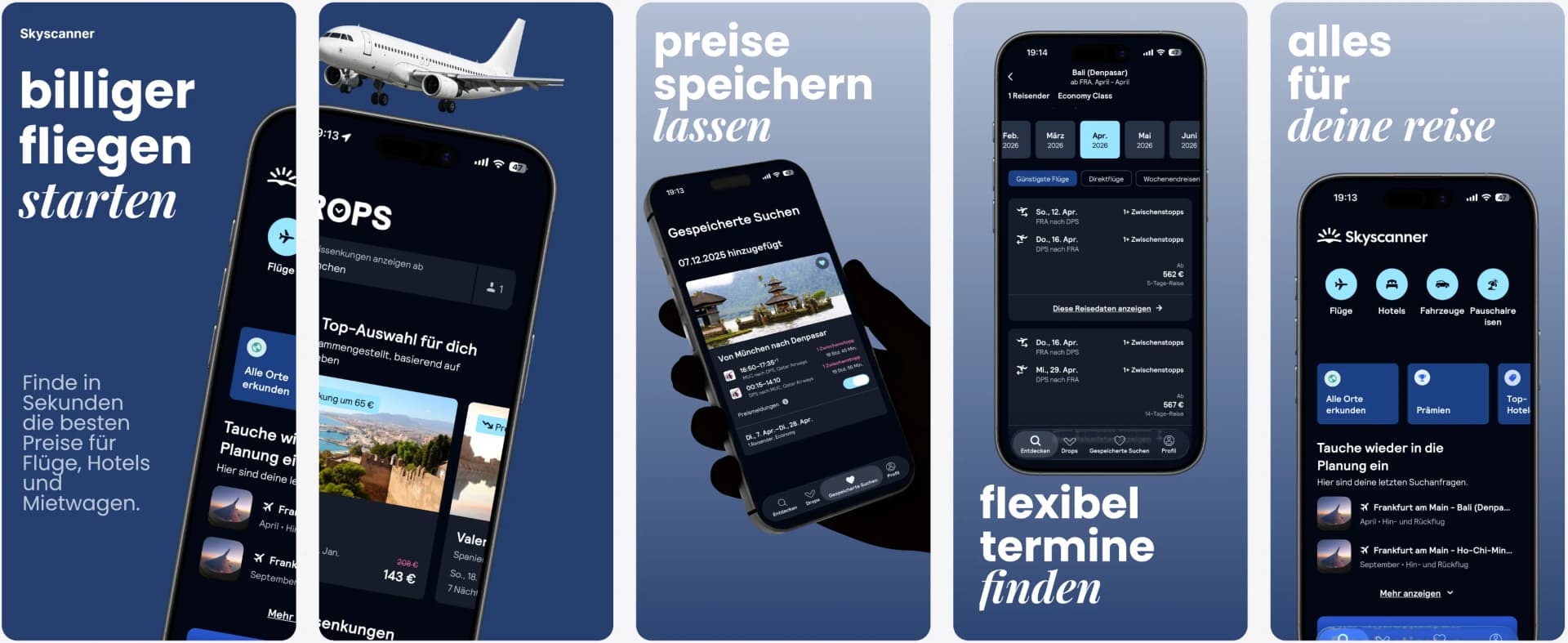
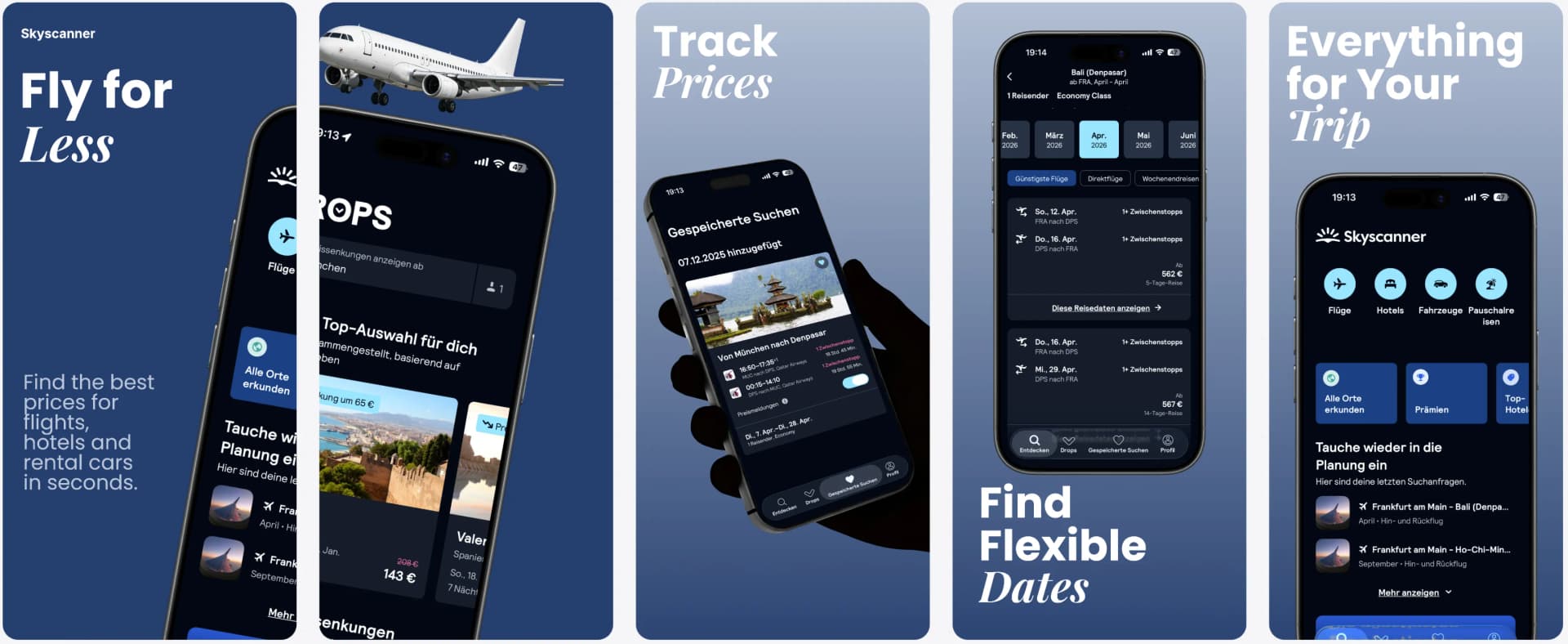
Translate screenshot captions and the editor automatically adjusts text boxes, spacing, and typography. German, Japanese, Arabic — every locale gets clean, readable screenshots.
Publish directly to both stores
Push localized screenshots and ASO copy directly to App Store Connect and Google Play Console. All languages, all assets, one click — no manual uploads.
The Bottleneck
Why app localization stalls at the last mile
Most teams can translate text. The hard part is everything after: adjusting screenshot layouts for longer strings in German, shorter words in Japanese, right-to-left scripts in Arabic. Then uploading localized assets to App Store Connect and Google Play Console for every language, every device size.
This is where localization efforts die. Teams translate their first 3-5 languages and stop — not because more markets are not worth it, but because the manual work of layout adjustment and store uploads scales linearly.
AppLaunchFlow breaks this bottleneck. Translation triggers automatic layout adjustment. Screenshots resize, re-space, and re-flow for each language. Then you push everything — screenshots, titles, descriptions, keywords — directly to both stores.
The entire localize-and-publish loop that used to take days per language now takes minutes.
Features
The full localization pipeline, in one place
Translate ASO copy, localize screenshots, and publish directly to App Store Connect and Google Play Console.
Comparison
Localize, adjust, publish — or do it the old way
Traditional localization scatters translation, design adjustment, and store publishing across multiple tools and handoffs. AppLaunchFlow keeps the entire pipeline connected.
| Criteria | Manual tools | AI-only tools | AppLaunchFlow |
|---|---|---|---|
| ASO copy translation | Hire translator, paste into store console | AI translates, manual paste | AI translates with context, push directly to stores |
| Screenshot localization | Redesign per language in Figma | Translate text, layouts break | Translate + auto-adjust layout in one step |
| Store publishing | Manual upload per asset per locale | Still manual upload | Direct push to App Store Connect & Play Console |
| Scaling to new languages | Linear increase in work per language | Fast translation, manual layout fixes | Minutes per new language, including publishing |
| Consistency across markets | Hard to maintain across handoffs | Translation consistent, visuals may drift | Same project, same design system, all locales |
Deep Dive
Localization as a growth lever, not a bottleneck
Localized listings can increase downloads significantly in target markets. But the ROI depends on quality — a listing that feels translated rather than native can actually hurt conversion.
AppLaunchFlow preserves your positioning across languages. The AI does not just translate words — it adapts the message for local markets while keeping your brand voice consistent.
Screenshot localization is where most tools fall short. Translating captions is easy. Keeping layouts clean after translation is the hard part. German captions overflow. Japanese needs different spacing. Arabic requires RTL layout. AppLaunchFlow handles all of this automatically.
Direct store publishing is the final piece that makes localization practical for small teams. Without it, every new language means another round of manual uploads to App Store Connect and Google Play Console — multiplied by every device size.
With publishing built in, you can localize and ship to a new market in one session. This makes it realistic to expand incrementally — add a language, measure results, add another.
App product page localization is not just translation. It is about adapting your entire store presence — visuals, copy, and metadata — to feel native in each market. AppLaunchFlow is the platform that makes that workflow manageable.
The best localization strategy is one you actually execute. AppLaunchFlow removes enough friction that teams go from 3 languages to 15+ without proportional effort.
Last updated: March 27, 2026
Facts
How It Works
Localize and publish in three steps
Get started in minutes with our simple workflow
Localize your ASO copy
Select target languages and translate titles, descriptions, keywords, and promotional text. The AI adapts your messaging for each market.
Localize your screenshots
Translate screenshot captions. The editor automatically adjusts layout, spacing, and typography for each language to keep every slide clean.
Publish to both stores
Push localized screenshots and ASO copy directly to App Store Connect and Google Play Console. All languages, all assets, one click.
Related
Related resources
Frequently asked questions.
Everything you need to know about app localization
Sources
Citations & references
Sensor Tower localization research
Localized listings can increase downloads significantly in target markets.
View sourceApple App Store Product Page guidelines
Apple encourages localized content for global markets.
View sourceGoogle Play Console listing guidelines
Google requires accurate, localized listing assets.
View sourceLocalize, publish, grow
AppLaunchFlow is the app localization platform that takes you from translation to published listing in one workflow.
Stop scattering your localization across tools. Translate your ASO copy, localize your screenshots, and publish directly to both stores.
No credit card required